 The keyboard is among the most underappreciated and taken for granted component of the Personal Computer (PC) that we use everyday.
We are all creatures of habit. We generally use certain keys and not others in certain way.
What are the origins and history of the now current accepted PC computer keyboard?
Interestingly enough the standard keyboard layout did not originate in one fell swoop. It developed through three separate IBM keyboard projects and often involved mistakes and pitfalls along its evolutionary path.
Most keyboard setups have their direct origin in the original IBM keyboard – “The IBM Enhanced 101 Key Keyboard “which IBM set as the standard in the year of 1987. The Enhanced Keyboard was not the first but rather IBM’s third keyboard standard for PCs.
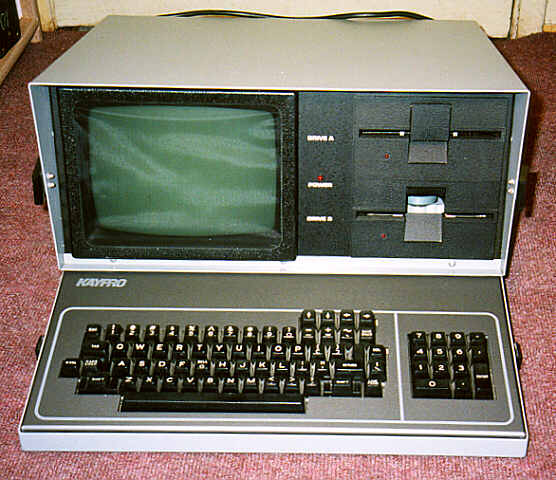
What were these previous frameworks of IBM keyboard models?
First the original IBM PC and XT keyboards had 83 keys. There were 10 function keys on the left side of the keyboard, a combined number pad and a cursor pad placed on the right hand side. The now called Control (Ctrl), Left Shift, and Alt keys were arranged in a line next to the function keys.
The Escape (Esc) as we know it was to the left of the numbers in the top row. To the right of the Right Shift Key, an unshifted asterisk key allowed the user to type the now common *.* without acrobatics. Between the tiny Left Shift key and the Zee key was a Backslash / Vertical key. The Enter key was narrow and vertically aligned and very easy to miss by most early PC users.
The design of this original IBM keyboard standard was a mixture of sensible and absurd keyboard layout decisions so much so that the admired components overshadowed the less thought out shortcomings and thus here we are today.
IBM’s next design was the original AT keyboard. This was somehow made incompatible with the earlier PC/XT design but a calculating user could reprogram in essence the newer keyboard to work.

The AT keyboard again had the then accepted ten function keys on the left, but exiled the Esc and the unshifted asterisk to the number pad. The Enter key was L-shaped and the Backsplash key, which now occupied the spot which used to be the left half of the Backspace key. Was reduced in size to the width of a single “alpha” key.
At some point when market forces pushed IBM to upgrade the venerable AT computer, it introduced the Enhanced model keyboard which was compatible with the original AT
model, but had a drastically different layout. The ESC key and the 12 function keys were now along the top, the number pad was moved to the right. And a new cursor pad was placed between the alpha keys a number pad. The cursor pad ( which was actually split into two sets of keys ) consisted of four arrow keys in an inverted T at the bottom and a separate bank of 6 keys at the top: Ins ( Insert) , Del (Delete) , Home and End, and PgUp (Page up_ and PgDn ( Page down) .

What happened is that the computer users of the time disastrously started to press the Delete key when they meant end. There was virtually little memory, by today’s standards’ hence no advanced features of rescue that we take for granted today. A computer user who may have spent hours typing a major endeavor such as master’s thesis may have seen his hard work disappear into never never land.
 It did not take too long for the complaints to arrive at IBM head office to rectify the situation. “Leave well enough alone “was the refrain. And the Backspace key returned to its original double width. The backslash key now occupied a single row. Caps lock migrated to the old side of the Ctrl key, and twin Ctrl and Alt keys flanked the spacebar.
The Del key though remained in its now current place although in some keyboards it is now double sized.
Like it or not this layout has become the standard by which we live with our computer enhanced lives.
The keyboard is among the most underappreciated and taken for granted component in our every day computer lives. We seldom stop to think why certain keys are laid out in the given way. Like it or not we owe a debt to thoughtfulness and thoroughness of the original IBM PC project engineers.


